Virtual Rooms
You can create and manage rooms in your facility, linking them to your LabKey units to track the number of users and their movements inside.
Virtual Rooms
To activate this feature, follow the procedure described on the main [“Additional Features”](https://docs.labkey.io/en/docs/plugin/) page.
Easily manage and configure the virtual rooms in your facility, linked to the LabKey units you own. Monitor in real time:
- The number of users present.
- Their movements within the spaces.
- Compliance with capacity limits.
Select “Virtual Rooms” from the left menu and click “Add New”.
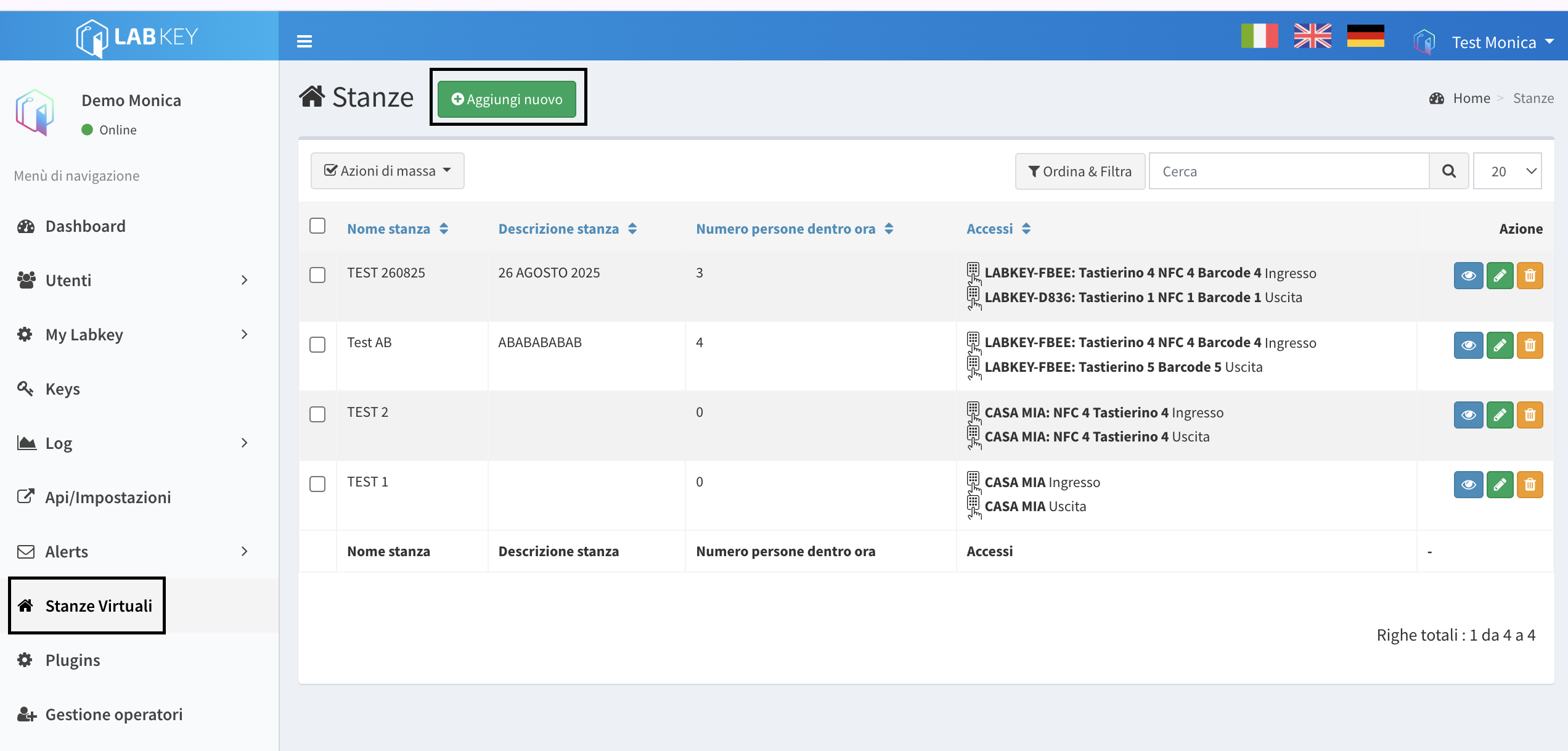
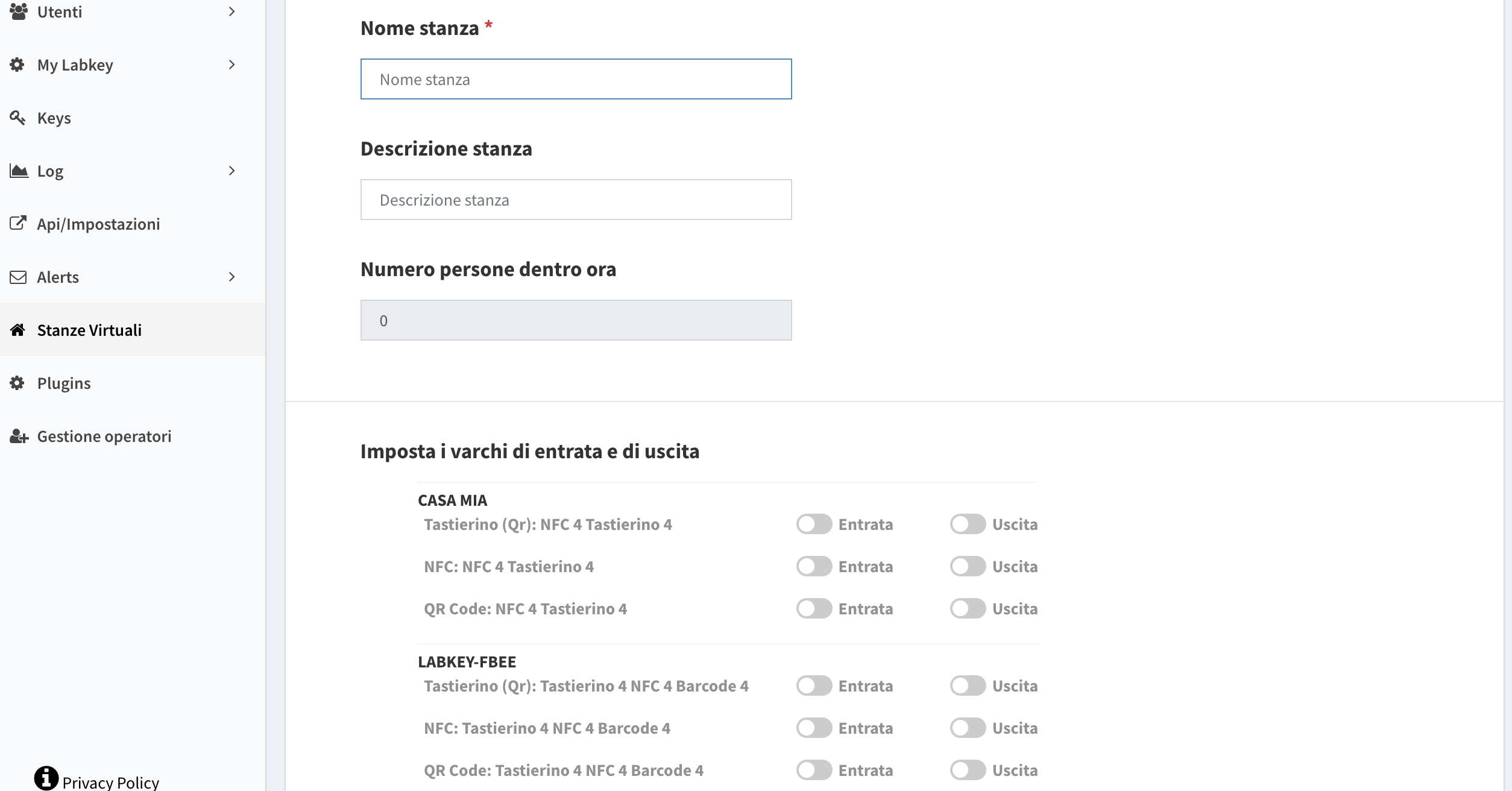
- Give the virtual room a name and, optionally, a description.
- Select the LabKey unit and the command that will be used for entry and exit of the virtual room.
Editing Virtual Rooms
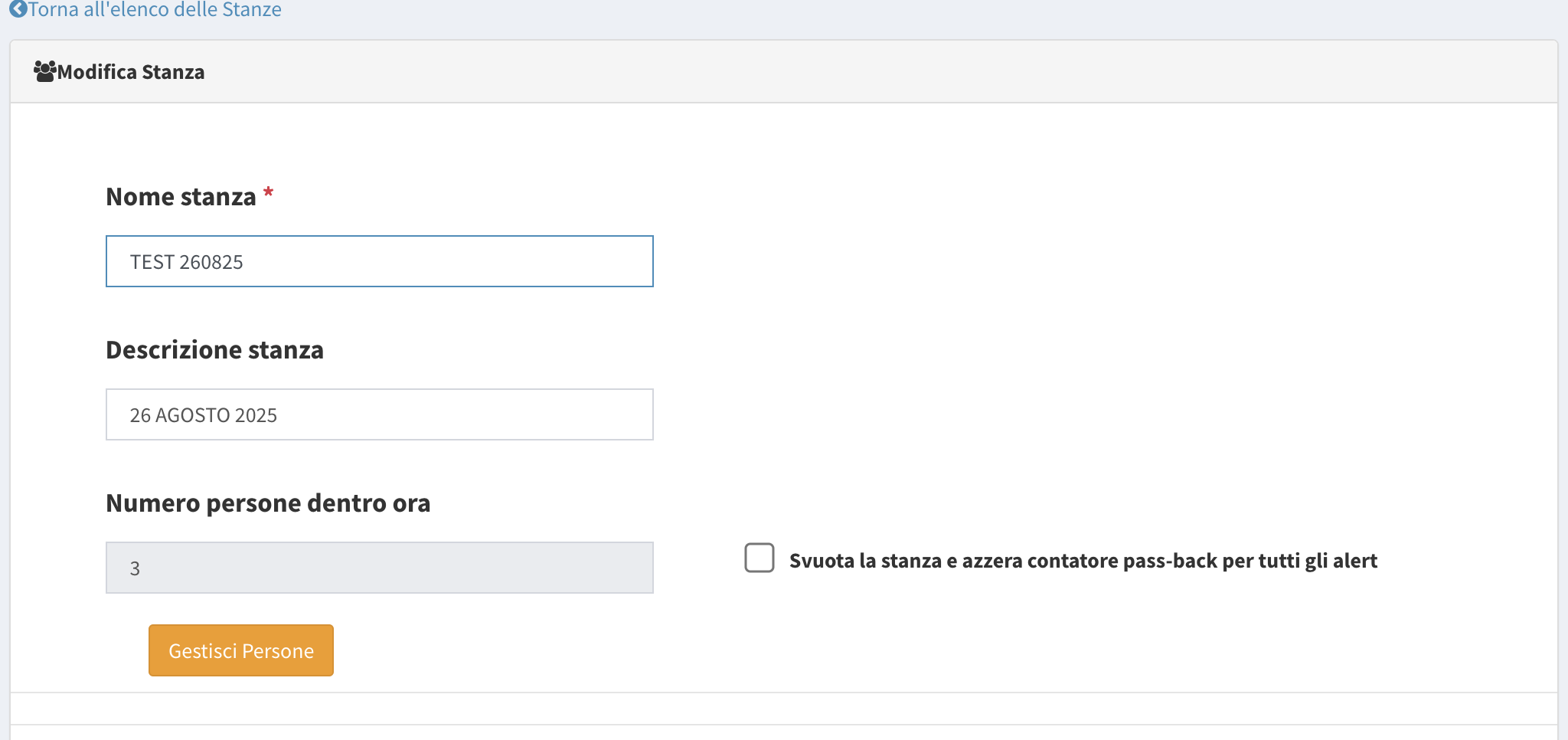
In the Edit section of virtual rooms (accessible via the green ✏️ icon from the room list), you can:
- Reset the count of people inside the room.
- Manage people, confirming their presence or absence.
Virtual Rooms integrate natively with the Advanced Alerts plugin, so you can receive immediate notifications in case of anomalies.
One of the most common uses of Virtual Rooms is access control for hotels and hospitality properties: learn more in Access Control for Hotels.