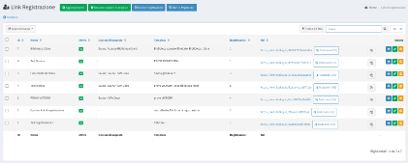
Registration links overview
From this section you can manage existing links or create new ones.
The main screen of the plugin lists all the registration links you have created. From this section you can manage existing links or create new ones. In particular, the following features are available:
- Create a new link: to start configuring a new registration form, click the green “Add new” button in the top bar.
- Manage purchases and registrations: you can go directly to the sections dedicated to managing purchase options, the registration history and the payment history.
- View existing links: the summary table shows, for each link, the ID, the internal name, the activation status, any linked purchase options, the assigned templates, the number of registrations received and the public URL.
- Use quick actions: on each row you can copy the public URL, manage translations, preview the form, edit the configuration or delete the link.