Fast URL
Configure the Fast URL settings, a system-generated link sent to users to enable easy use of the web link for remote opening and Mobile App configuration.
You can define the type of Fast URL, a system-generated link to send to your users to enable easy use of the web link for remote opening and for configuring the Mobile App.
With this feature you can:
- Personalize the user experience for configuring the mobile app.
- Provide fast and secure access to your facility.
- Simplify entry management, even remotely, through two modes: Virtual App or Web Link.
Specifically, in the base plugin section, you can define the settings for this feature:
- In the left-hand menu of the Manage panel, select “Plugins”.
- Click the green pencil icon (✏️) next to “Fast-URL”.
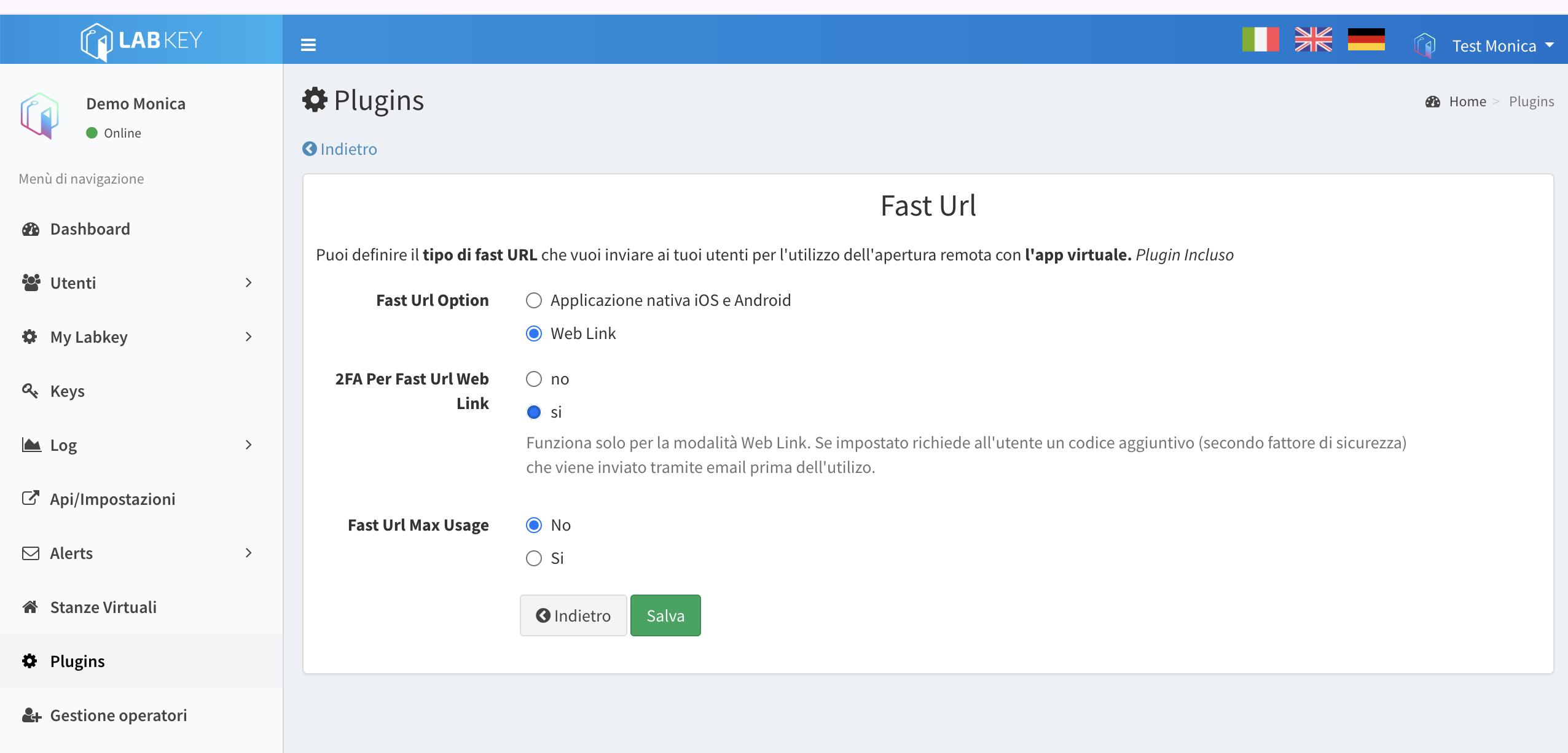
If you want to use the mobile app, keep the default setting.
If you want to use remote opening via Web Link, select the “Web Link” option.
Once the “Web Link” option is selected, a section called “2FA for Fast URL Web Link” will appear below; set it to “Yes” if you want Two-Factor Authentication.
Click the green “Save” button at the bottom.