Credits
You can add a credits system linked to access control for specific areas, identified by the LabKey relays, with dynamic balance control and automatic notifications for users and administrators.
To activate this feature, follow the procedure described on the main [“Additional Features”](https://docs.labkey.io/en/docs/plugin/) page.
The credits feature allows you to assign a value to the LabKey relays through the creation of “Credit Lists”. The user will gain access according to the credit rules when a “Credit List” is assigned to them for the specific LabKey and its associated relays.
Credit List
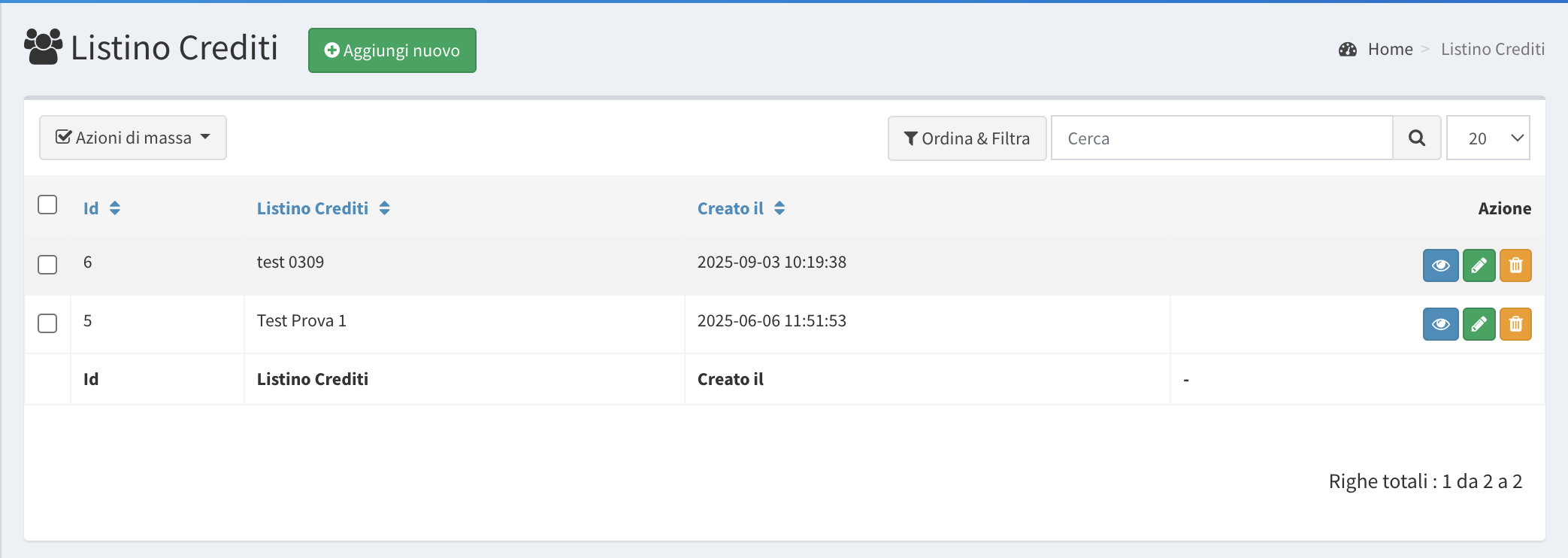
- From the left menu, click on the “Credit List” section.
- Click the green button “Add New”.
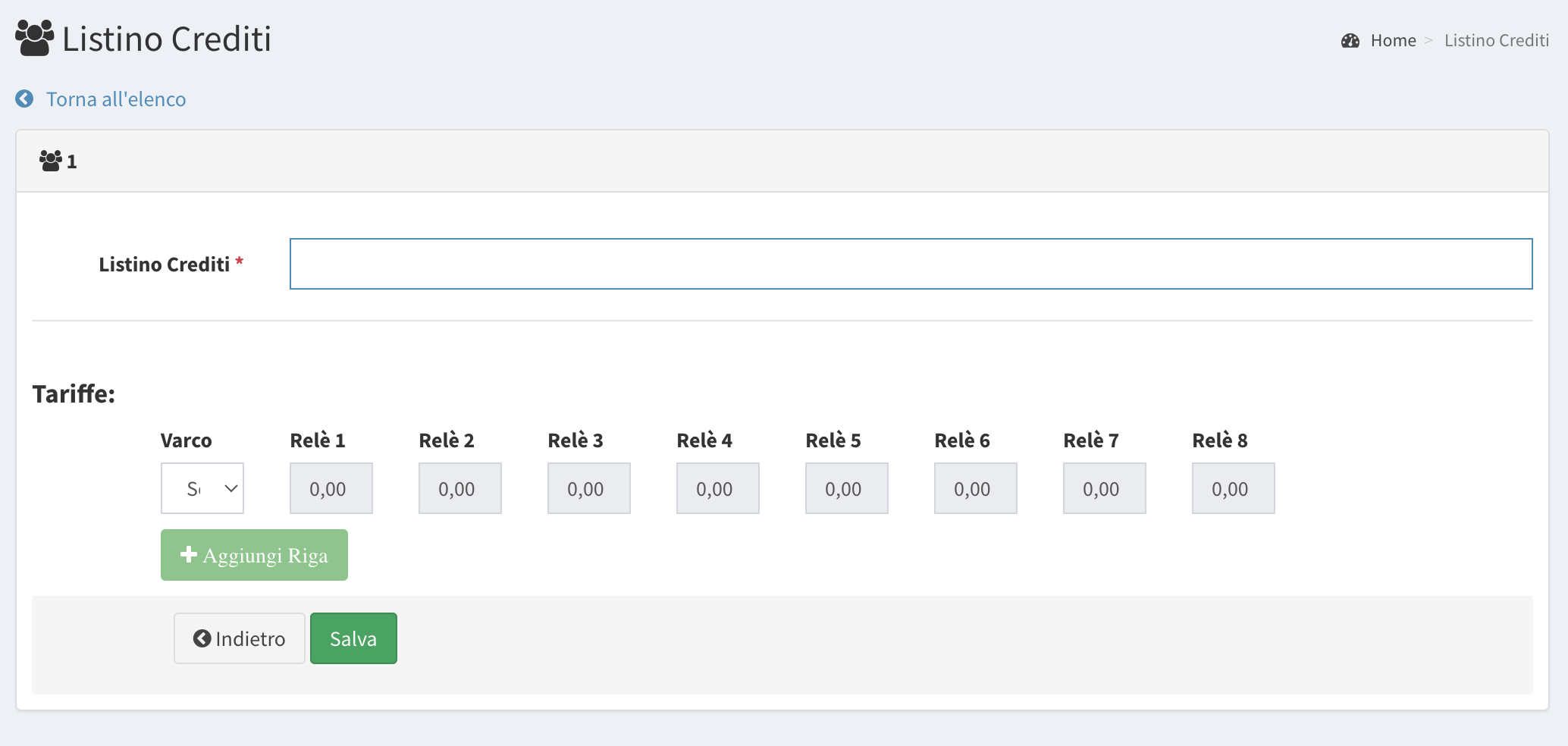
- Assign a name to the list.
- Select the corresponding LabKey code and assign a value to the relay of the selected LabKey.
- Click “Add Row” if you want to include multiple LabKeys within the same list.
- Click “Save”.
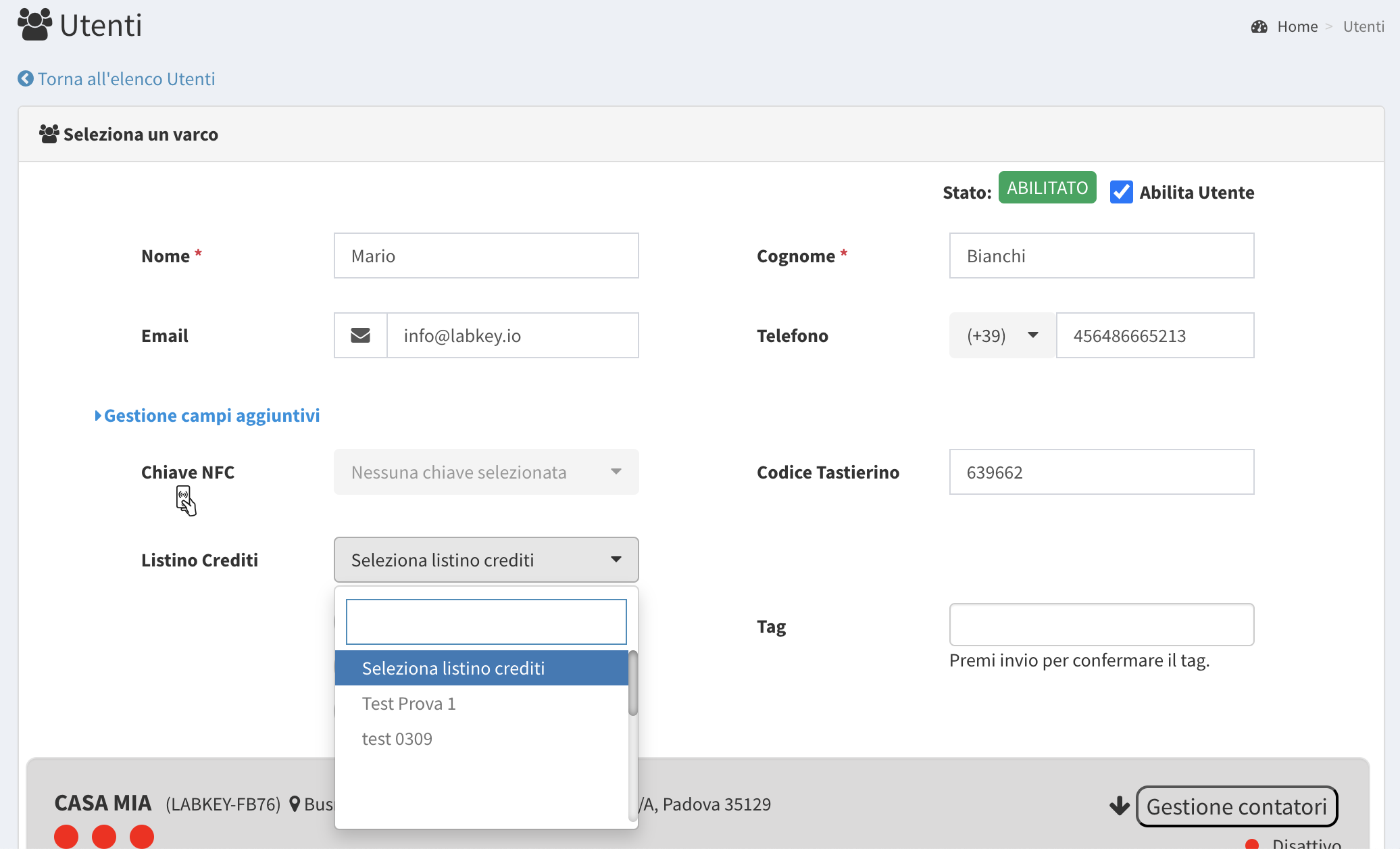
Assign Credit List to a User
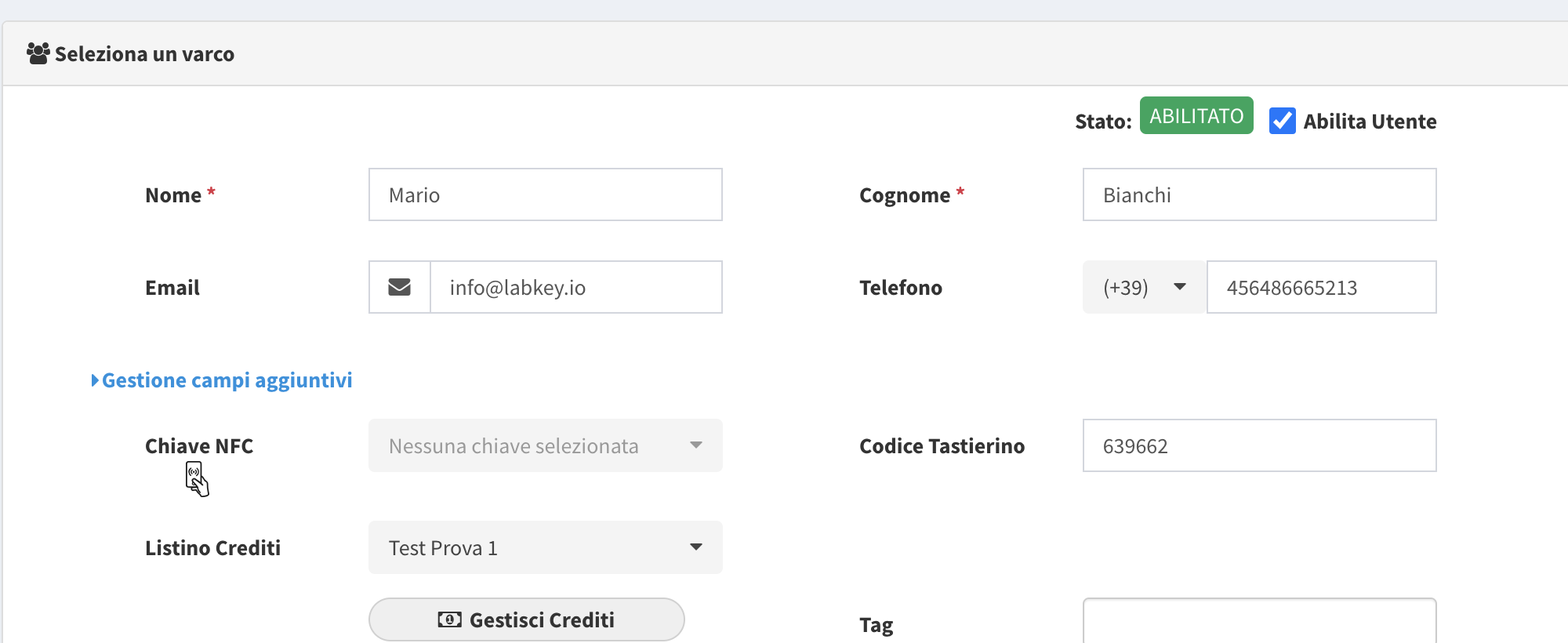
When creating or editing a user, select the desired credit list from the corresponding dropdown menu.
Recharge User Credits and View Remaining Balance
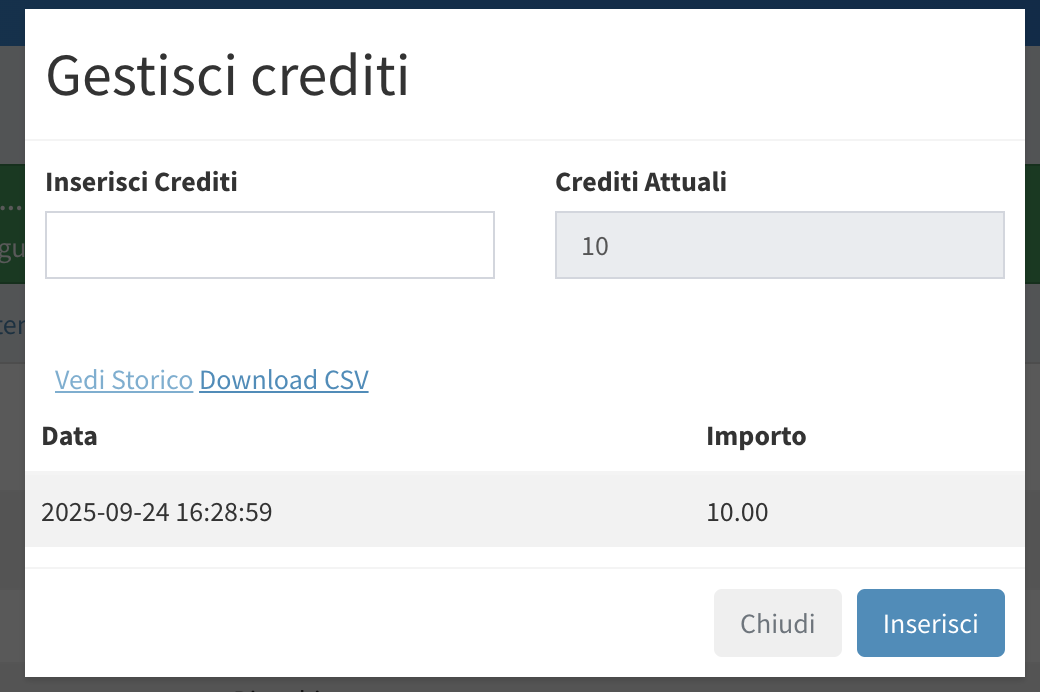
There are two ways to recharge credits:
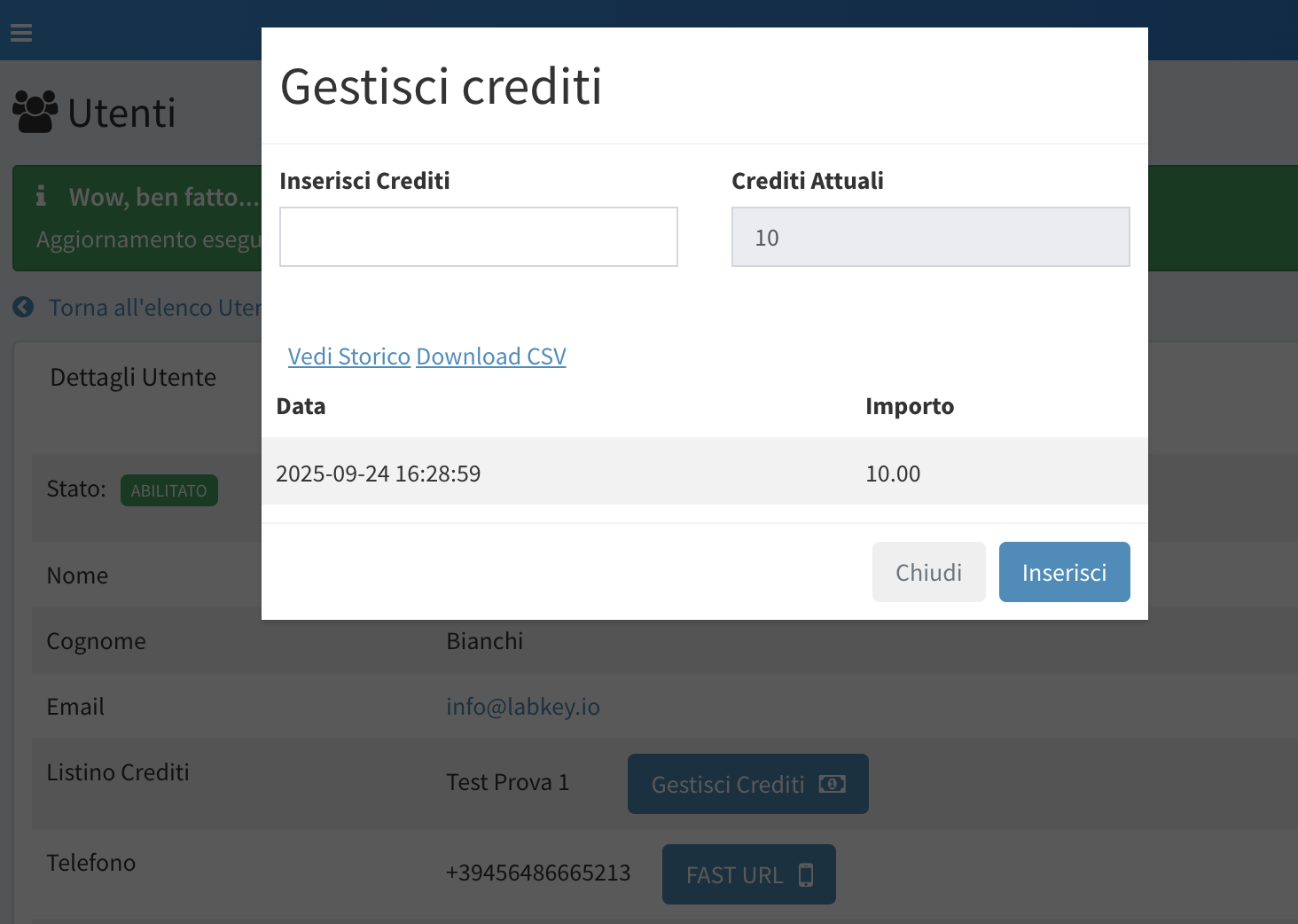
- From the “View” section (blue eye icon) of the user – click “Manage Credits”.
- From the “Edit” section (green pencil icon) of the user – click “Manage Credits”.
Finally, you can also view the credit history for each user (usage and recharge) and optionally export it as a CSV.
This parameter is available every time the “Manage Credits” popup is opened for a user.