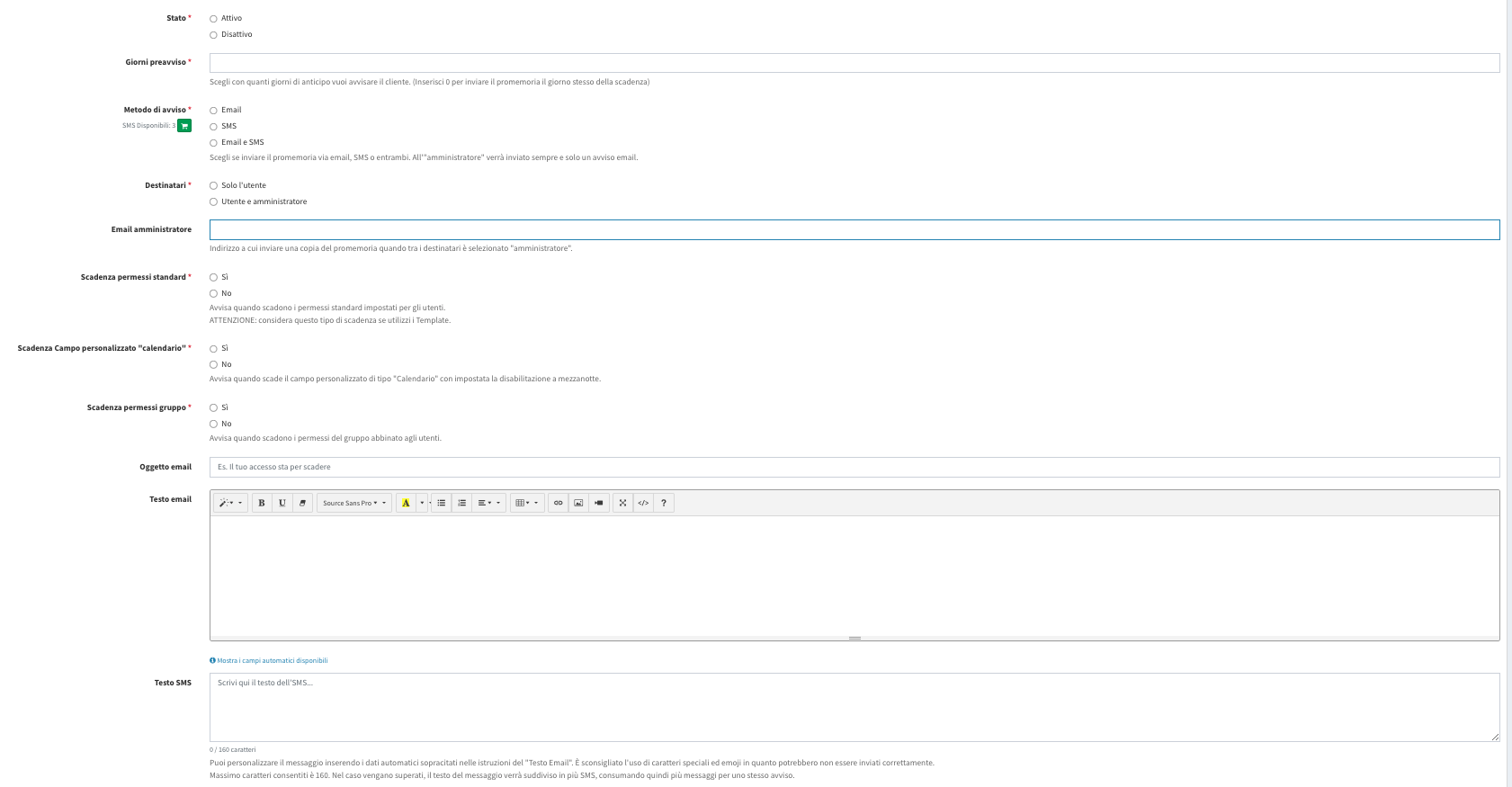
Access Expiry Reminder
Automatically sends a reminder via email or SMS to the customer — and optionally to staff — before the subscription, plan, or other custom deadlines expire.
To activate this feature, follow the procedure described on the main [“Additional Features”](https://docs.labkey.io/en/docs/plugin/) page.
With this plugin, you can reduce missed renewals and simplify deadline management, without having to manually check each user’s dates.
Configuration
Status. Lets you enable or disable the reminder.
Days notice. Indicates how many days in advance the reminder should be sent. Setting 0 sends the notification on the expiry day itself.
Notification method. Lets you choose between: email, SMS, email and SMS.
Recipients. Lets you choose whether to send the notification only to the user, or to the user and the administrator.
If the administrator is selected, you must enter their address in the Administrator Email field. The administrator always receives the notification by email.
Expiry type. You can choose which expiry types should trigger the reminder:
- Standard permission expiry
- “Calendar” custom field expiry
- Group permission expiry
For each type, you can select Yes or No.
Email message customization. Lets you define the subject of the notification and customize the content of the email using the available editor.
You can use automatic fields to dynamically insert user and expiry data, including:
[nome] – user’s first name [cognome] – user’s last name [email] – user’s email [telefono] – user’s phone number [giorni] – days remaining until expiry [data_scadenza] – expiry date [tipo] – expiry type [riferimento] – expiry reference
SMS message customization. Lets you define the content of the SMS message.
The message has a limit of 160 characters. If exceeded, the text is split into multiple SMS messages.
Saving. Once configuration is complete, use the Save button to store the reminder.