Custom Codes
Enable the creation of custom barcodes without following the standard encoding rules, and of short keypad codes.
Plugins are software extensions that add new features to a website or enhance existing ones. In the case of LabKey, plugins let users customize their control panel and access additional features without needing to write any code.
Go to the LabKey Control Panel.
Look for the Plugins section and click on it.
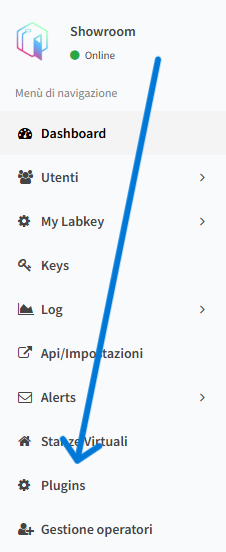
Here you can see all the available plugins.
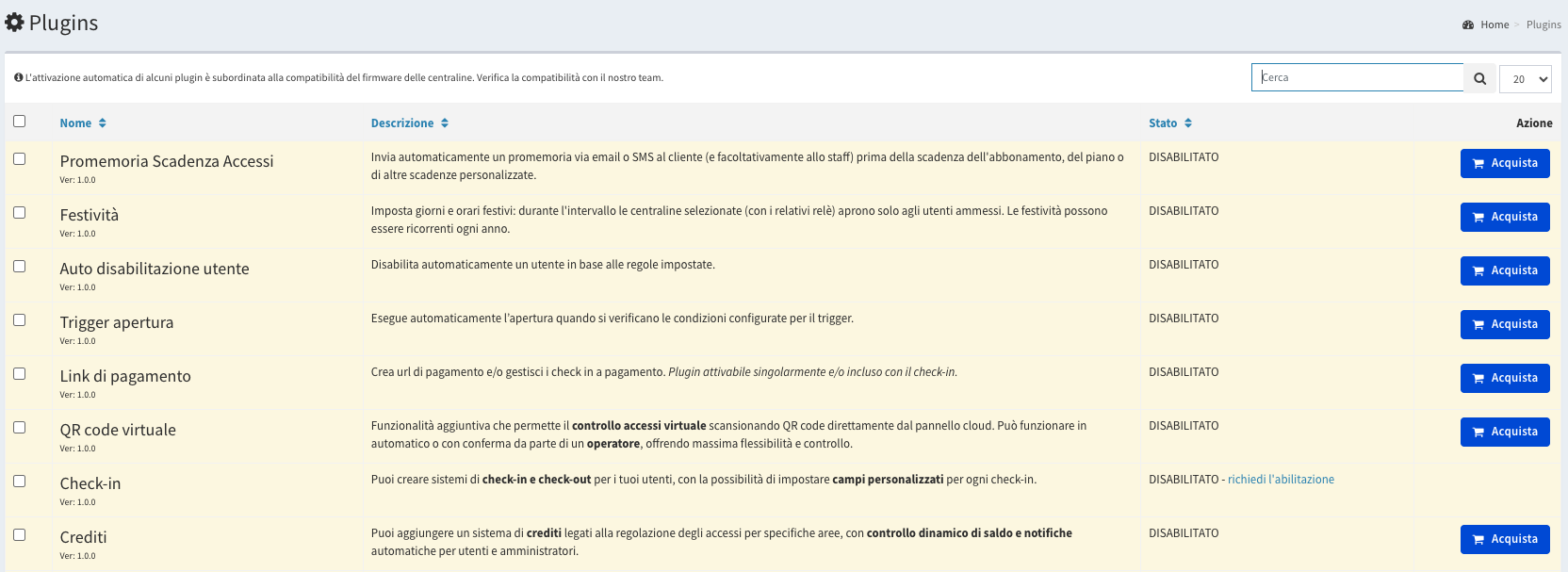
In the Status section, you can see whether each plugin is enabled or disabled. If a plugin is disabled, you can purchase it directly from this page:
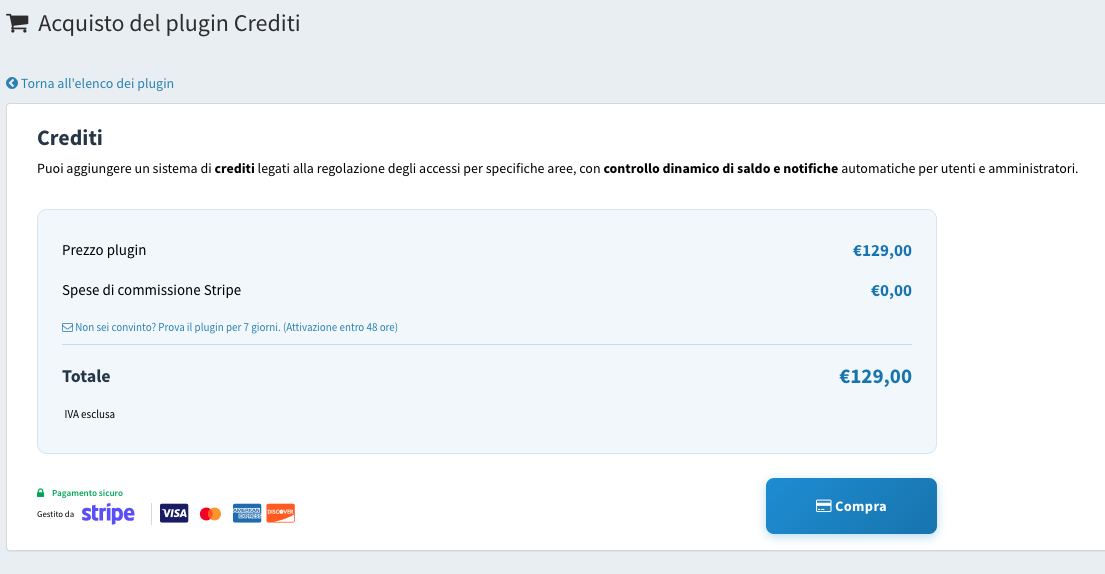
Before purchasing, you can also start a trial period by clicking the phrase “Not convinced yet? Try the plugin for 7 days. (Activation within 48 hours)”.
NOTE: for some plugins, you need to click “Request activation”, which redirects you to the contact page to request enablement. In that case, our technical team will review the request before proceeding with activation.
Enable the creation of custom barcodes without following the standard encoding rules, and of short keypad codes.
You can create and manage rooms in your facility, linking them to your LabKey units to track the number of users and their movements inside.
Create and manage advanced alerts, link them to specific events or users, and receive them however you prefer — email, Telegram, or remote calls to external devices.
Easily and flexibly manage the integration of NFC keys within your system. You can add them manually or through a reader.
Configure the Fast URL settings, a system-generated link sent to users to enable easy use of the web link for remote opening and Mobile App configuration.
Select the general time zone for the entire panel, which can then be combined with the individual time zones of each LabKey unit.
The LabKey Counters feature lets you manage access control by setting a predetermined number of entries for each user.
You can add a credits system linked to access control for specific areas, identified by the LabKey relays.
Access to additional features for API management and extra calls, such as remote opening from an external device.
The Multi-Operator feature lets you manage your facility in a simple, collaborative way, even in complex and distributed environments.
With preconfigured Templates, you can set up predefined models to manage recurring access settings and time filters for individual users.
The user directory is significantly enhanced: you can add custom fields to extend the available information.
Simplify and secure access management at your facility with Remote Certified Check-in.
Create payment URLs and/or manage paid check-ins. This plugin can be activated on its own and/or is included with the Check-in plugin.
Automatically sends a reminder via email or SMS to the customer (and optionally to staff) before the subscription, plan, or other custom deadlines expire.
Set holiday days and hours: during that interval, the selected LabKey units (and their relays) will only open for authorized users.
Automatically disables a user based on the rules you set.
Automatically triggers the opening when the configured trigger conditions are met.
Additional feature that enables virtual access control by scanning QR codes directly from the cloud panel.