Associating NFC Gadgets
When you purchase an NFC reader and receive your selected gadgets/keys (cards, keychains, bracelets, etc.), they come without an identification code. To recognize and register the NFC key you have in hand, there are 2 options.
Our devices are compatible with Mifare Classic 1K based on ISO/IEC 14443 A/B.
1. USING A LABKEY NFC READER:
If you have a LabKey NFC reader next to you, follow these steps:
- Physically connect the reader to the LabKey control unit and connect it to the Internet.
- Physically pass the gadget over the NFC reader of the control device connected to LabKey.
- Go to the “Log” section and then to “Access Log” from the software’s side navigation menu.
- In the access log, locate the first log in the list (from the top), which will correspond to the last key/gadget scanned.
- To register the gadget in the Keys list, click the blue icon next to the corresponding log.
- If you want to directly associate the gadget with a user, click the yellow icon, which will take you directly to the user creation page in the system.
This procedure allows you to easily identify and register NFC keys. You can choose whether to add them directly to the Keys list or associate them immediately with a user, simplifying the access management process.
2. USING A DESKTOP NFC READER:
If you have a desktop NFC reader available (via USB on your PC), you can register the keys on your own by following the standard procedure described in the “Adding NFC Keys” section.
Contact the LabKey team for a compatible desktop reader model.
Follow these steps:
Note: the NFC keys must already have been registered beforehand in the Manage Panel
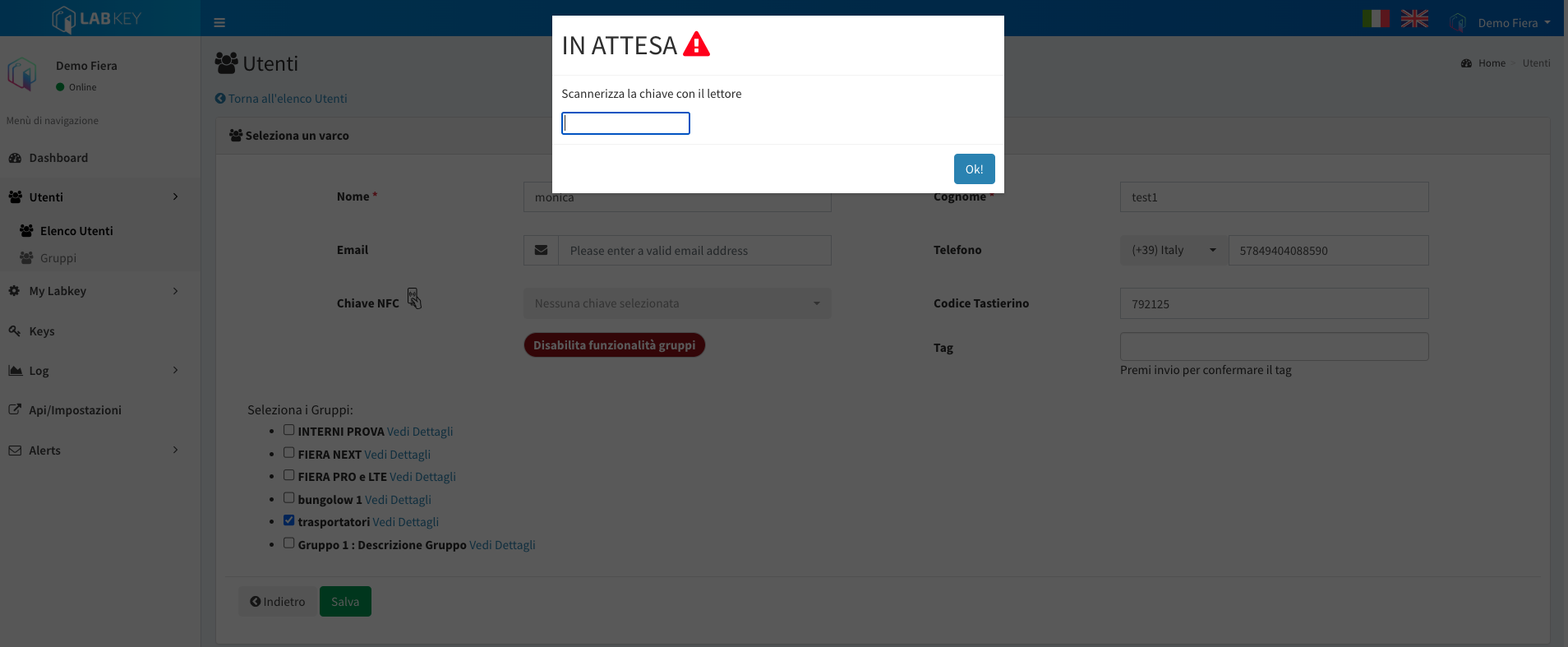
- Go into the user profile edit section.
- Scroll down to the “NFC Key” section.
- Click on the hand icon with the NFC card.
- Place the cursor in the available input bar.
- Pass the NFC card over the desktop reader: through this process, the system will automatically match the corresponding card entered in the system.
ATTENTION: you can use your own NFC gadgets, provided they are compatible with our devices (Mifare Classic 1K based on ISO/IEC 14443 A/B - 13.56 MHz).