Adding a Structure
Register and organize your devices in an efficient and orderly way. Geolocate your devices to have the geolocated lock feature available.
To add a new structure:
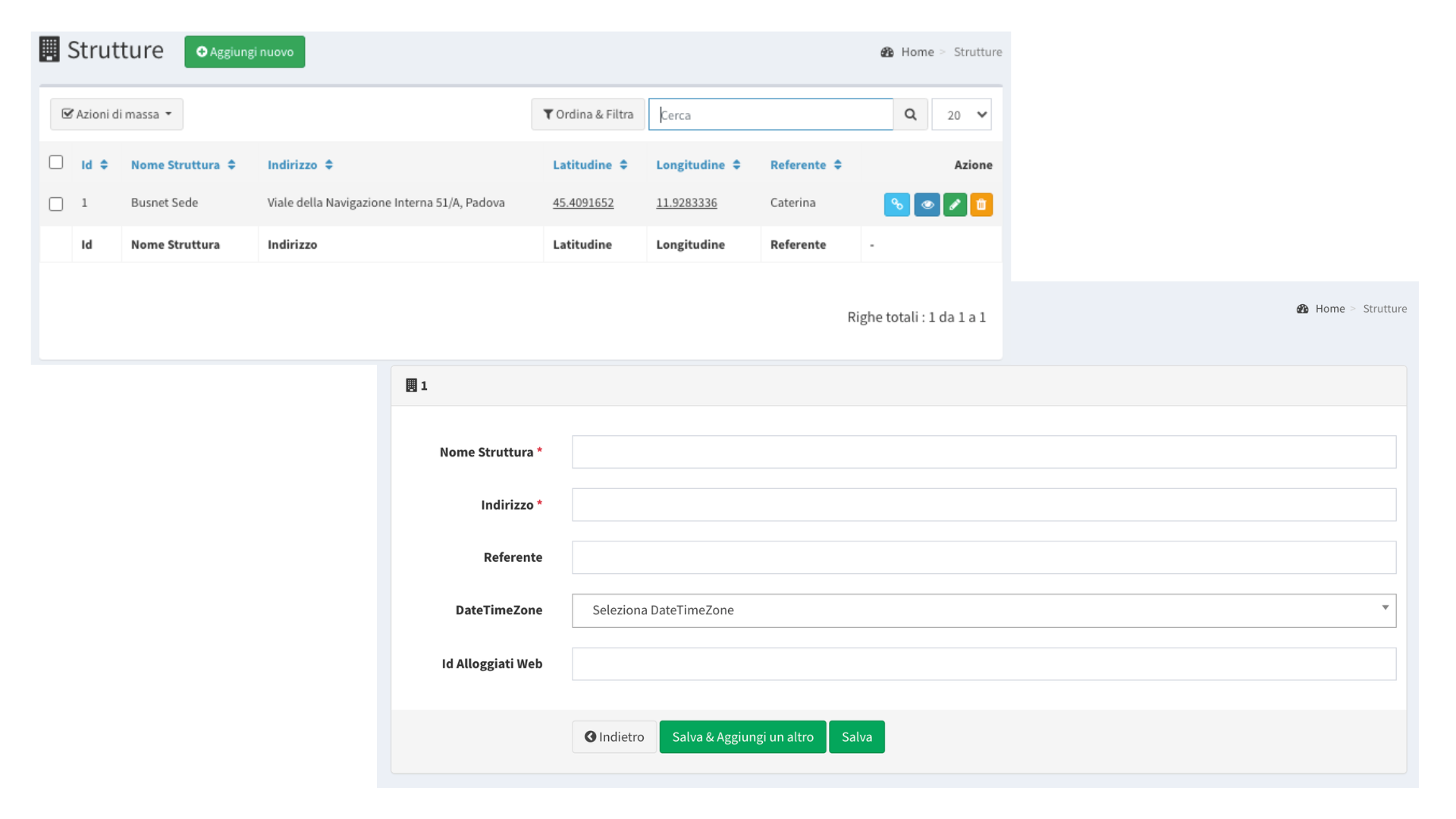
- Go to “My LabKey” > “Structures”
- Click on “Add New”
- Enter the Name of the structure, the contact person’s name, the geographic location, and, if necessary, the time zone.
Note: the “Guest portal ID” field only needs to be filled in if you have the Check-in add-on feature active.
After setting the name and address of the structure, you will be able to view its location on Google Maps directly from the mobile app.
This feature is useful for providing users with an interactive map to navigate directly to the structure.
For further details on using it with the mobile app, see the guide chapter “Mobile App”.