Extreme Reader
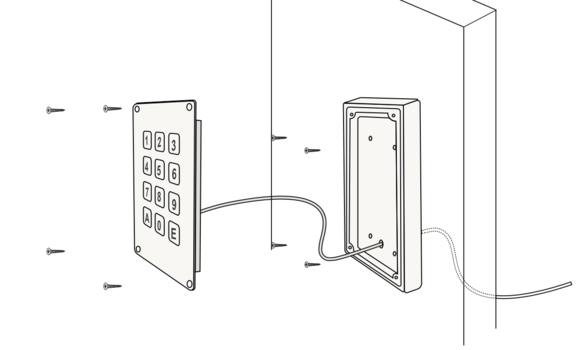
Mechanical mounting of the two Extreme models: flush-mounted QR Code (USB cable) and Vandal-Proof Keypad (RS-485 bus).
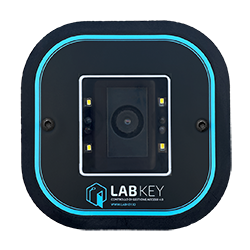
LabKey Extreme QR Code Reader
Connecting Control Devices
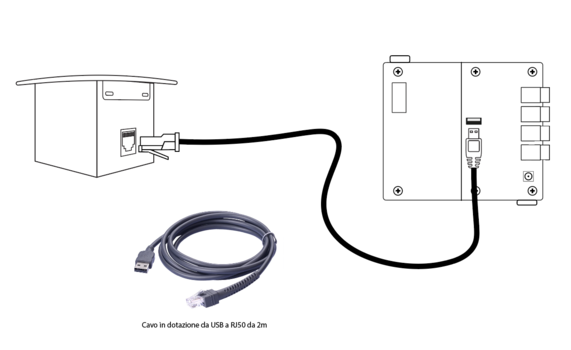
The connection between the control unit and the flush-mounted Extreme QR Code control device is made via a USB-RJ50 cable: see the dedicated page for the cable specifications.
Download the PDF with the full measurements
Wall Mounting
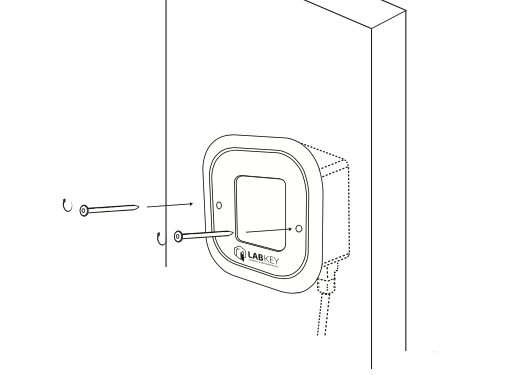
This control device is particularly suitable for flush-mounted installations or on housings such as turnstiles, making it one of the most widely used solutions for turnstile access control. Follow these steps:
- Choose the ideal position for installing the control device.
- Pass the USB-RJ50 cable through the wall or turnstile and connect the control device to the reader.
- Use the two supplied screws to securely attach the device in the chosen position.
LabKey Extreme Vandal-Proof Keypad Reader
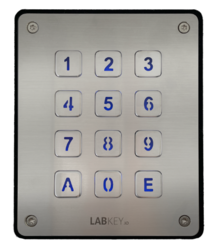
Connecting Control Devices
The connection between the control unit and the Extreme Vandal-Proof Keypad control device is made via an RS-485 bus: see the dedicated page for the recommended cable, maximum distance and polarity.
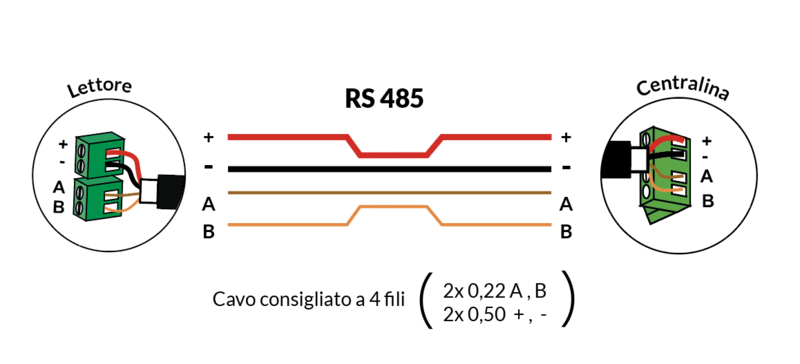
Download the PDF with the full measurements
Wall Mounting
- Drill five holes in the rear casing of the keypad, following the internal guides: four holes are for wall mounting using the supplied screws, and one central bottom hole allows the RS-485 cable to pass through.
- Attach the rear casing of the reader to the wall using the four mounting screws.
- Pass the RS-485 cable through the wall and connect the corresponding wires (+, -, A, B) to the internal terminals of the keypad reader.
- Place the stainless steel keypad section so that it fits perfectly into the plastic casing and secure it using the four included Torx screws.