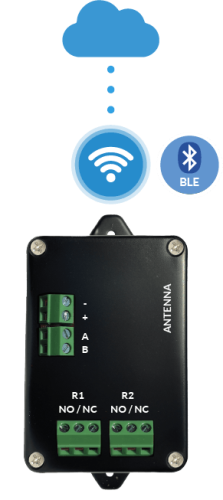
Light Control Unit (BLE)
Stand Alone management of the Light control unit through the LabKey mobile app via Bluetooth: keys, settings, diagnostics, and access logs.
Every control unit includes Stand Alone software that lets you configure access methods (PIN, NFC, and QR Code) without using the cloud. Depending on the control unit model, you can manage the related parameters and settings.
When the cloud version is also active, the settings managed from the Manage panel override those configured in Stand Alone mode.
The connection method for Stand Alone management depends on the model:
For details on the connection procedure, see How to Connect to the Control Unit for Management.
For an overview of all the available access control connection methods (QR code, cloud, Wi-Fi, LAN, LTE), see How Access Control Works.
Stand Alone management of the Light control unit through the LabKey mobile app via Bluetooth: keys, settings, diagnostics, and access logs.

Stand Alone management of the Basic, PRO, and LTE control units over the local Wi-Fi network: connecting to http://128.50.1.1, key list management, and additional options.