Light Control Unit
Connect your phone to the control unit via the mobile app over Bluetooth (BLE), then connect the control unit to Wi-Fi from Settings.
Option available for Light control units
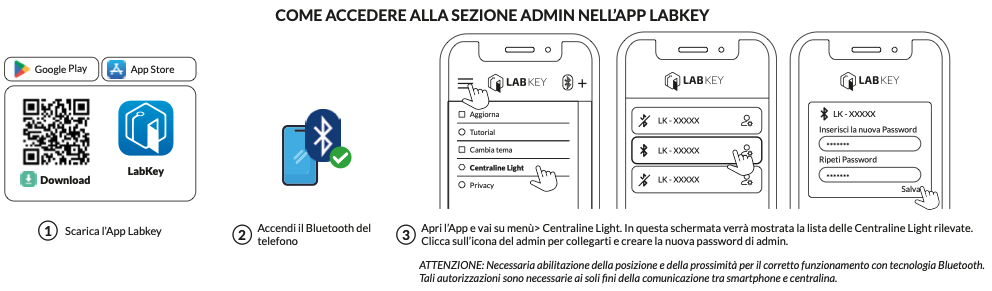
Unlike the Basic, PRO, and LTE control units, the Light model doesn’t connect to the cloud via Wi-Fi to the control unit’s local web server. Configuration is done through the LabKey mobile app via Bluetooth (BLE) — see Connecting to the control unit for management for the connection steps and how to access the admin section.
Once you’ve logged in, to use the Manage cloud panel, go to the Settings section of the app and connect the control unit to your Wi-Fi network.
For details on all the functions available from the app, see Managing the Light Control Unit from the App.
Once connected to the internet, the Light control unit is also ready to be managed from the Manage panel.