Basic Control Unit
On the page http://128.50.1.1, connect the Basic control unit to the Wi-Fi network by clicking “Start Wi-Fi network configuration”, then select your Wi-Fi network.
On the page http://128.50.1.1, connect the Basic control unit to the Wi-Fi network by clicking “Start Wi-Fi network configuration”,
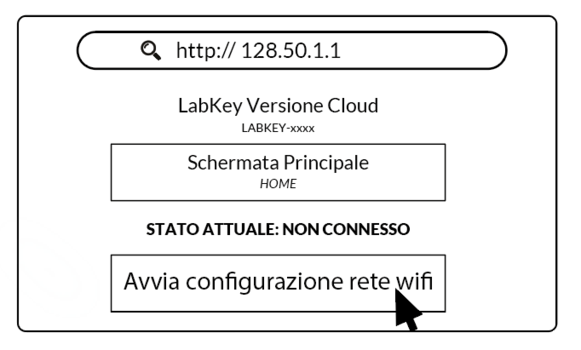
select your Wi-Fi network and enter the corresponding password.
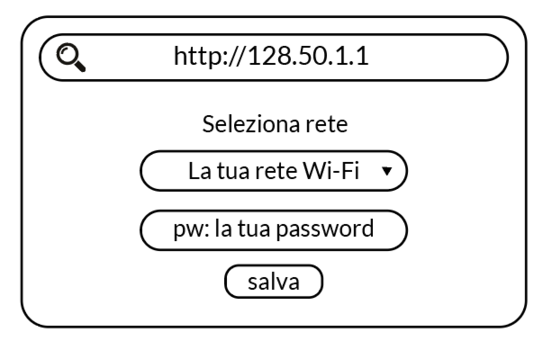
Wait for the connection to complete (if it hasn’t finished after 30 seconds, check in your settings that your device is still connected to the LABKEY-XXXX Wi-Fi network of the control unit).
To confirm that the Wi-Fi connection was successful, check the “Current status: …” section.
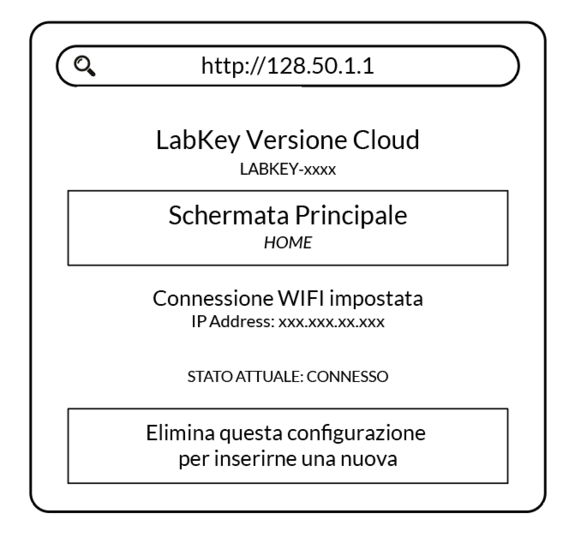
Once connected to the internet, the Basic control unit is ready to be managed from the Manage panel.