Enabling Geolocation Lock
To ensure an additional level of security, you can enable the geolocation lock feature. This option lets mobile app users open the gate or access point remotely only when they are within a specific distance radius. This prevents accidental opening of the gate or access point and strengthens security for remote access control.
Enable Geolocation:
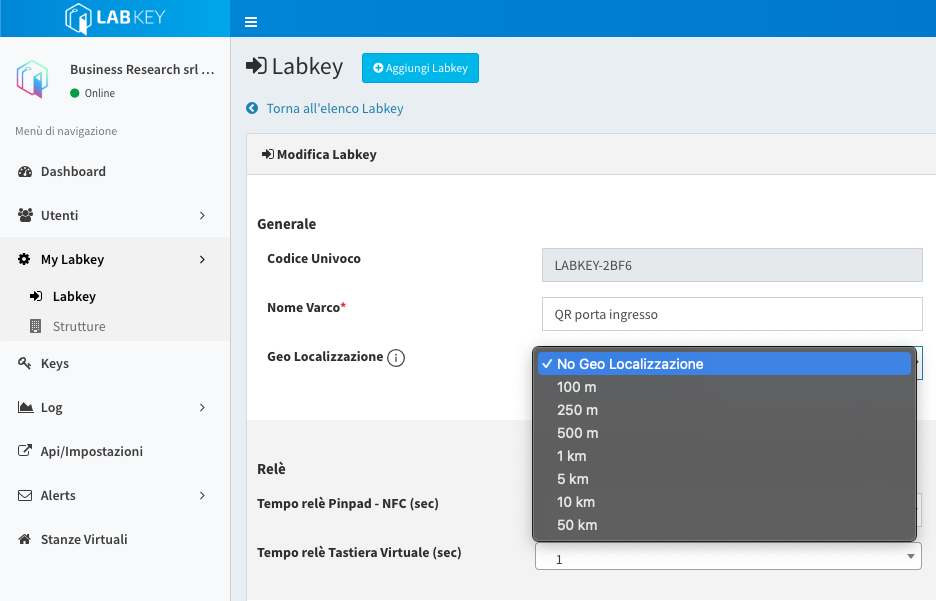
- Log in to the Manage panel and click “My LabKey” -> “LabKey” from the side menu.
- Locate the control unit for which you want to enable the feature and click the green pencil button next to it.
- In the “General” section, find the “Geolocation” field.
- Select the desired distance in meters or kilometers from the dropdown menu.
- Save your changes.
Once saved, users authorized to unlock that gate remotely will only be able to do so if they are within the specified distance radius.
Important: To enable the geolocation setting, the control unit must be linked to a structure with the correct address. For more information, see the section on adding a structure.
GPS location detection on the user’s device may not be fully reliable and could be subject to errors or technical inaccuracies.
If the user does not have geolocation enabled on their device (whether using the mobile app or a web link), they will NOT be able to issue the opening command.
Excluding the Geolocation Check:
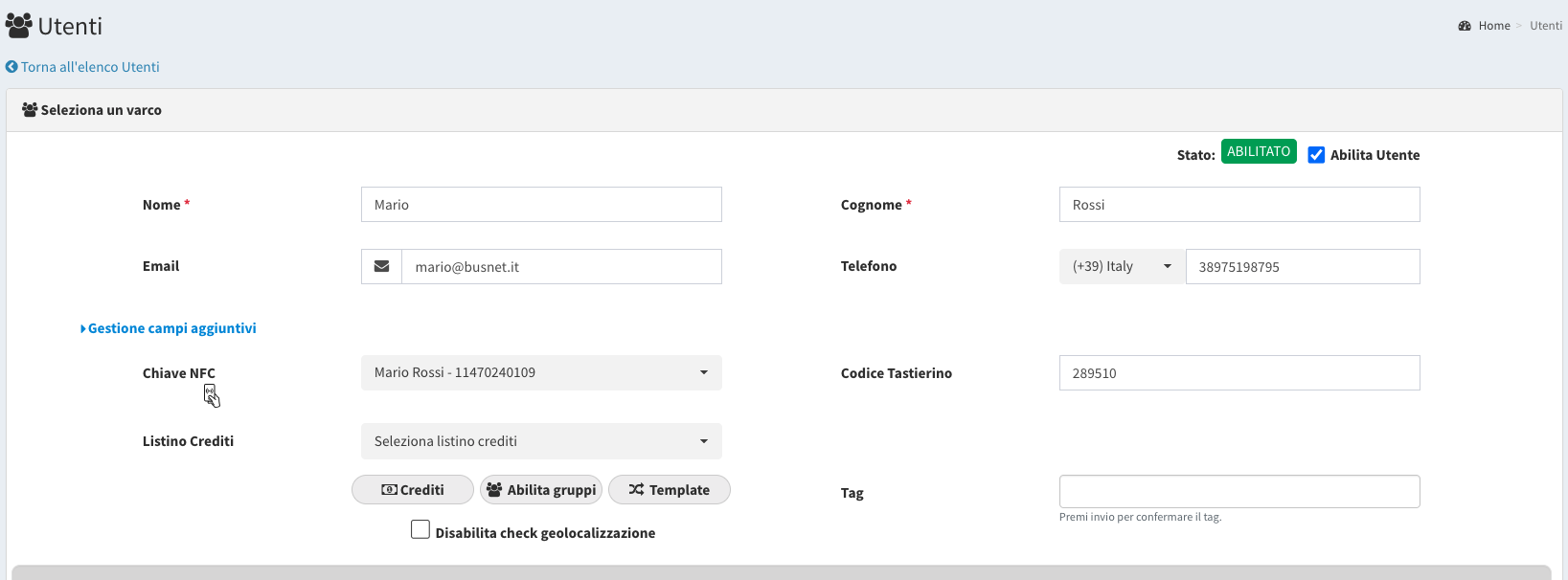
You can exclude the geolocation feature for one or more individual users by editing the user’s profile and setting the “Disable geolocation check” flag.