Access Entry via Fast-URL
The Fast-URL feature is part of the base plugins and simplifies access entry for users, letting them register their device and add gates to the LabKey app with a single click on a link sent via SMS, WhatsApp, and so on. This option is especially useful when managing numerous gates with different reader technologies.
Where to Find the Fast-URL
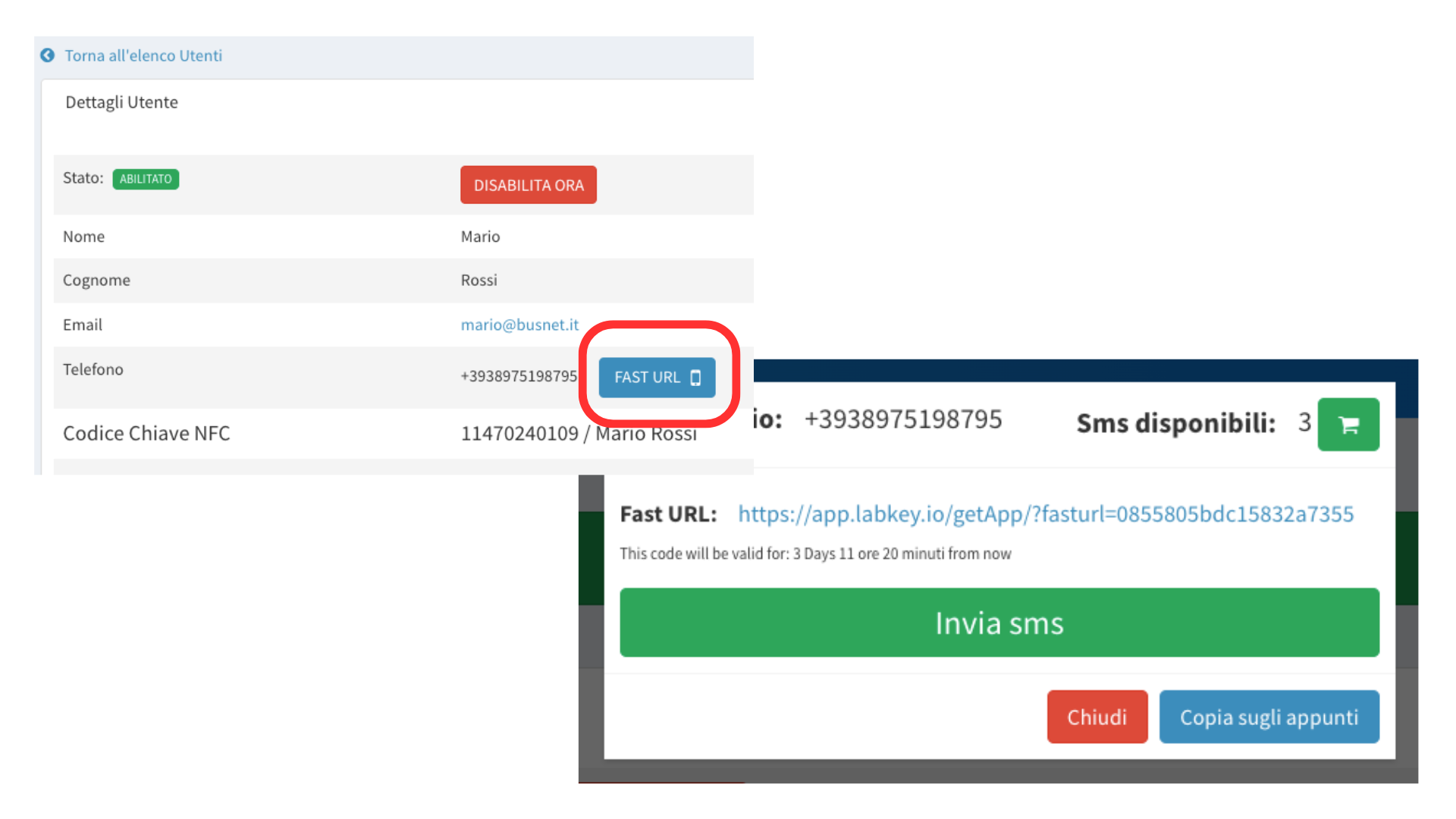
The Fast-URL is unique to each user in the Manage panel. Follow these steps to get it:
Go to “Users” -> “User List” in the navigation menu.
Next to the desired user, click the blue button with the eye icon on the right.
Next to the user’s phone number, you will find a blue button labeled “FAST URL”. Click it to generate the link.
A pop-up appears with the generated link. You can copy it using copy and paste or the “Copy to Clipboard” button.
Below the link, you can also find the link’s validity period.
Sending the Fast-URL
You can send the Fast-URL to the customer via WhatsApp, email, or your preferred communication method. Alternatively, the software can automatically send an SMS to the number listed in their profile.
Warning: make sure you have enough SMS credit first. The service is paid, and you can top up your credit by clicking directly on the green cart icon.
Using the Fast-URL
The user simply has to click the link they received.
If the Fast-URL plugin setting is set to Web Link, the customer will be taken to the web page, where they click the “open” button to open the door. For more details on the settings, see the explanation page for the plugin.
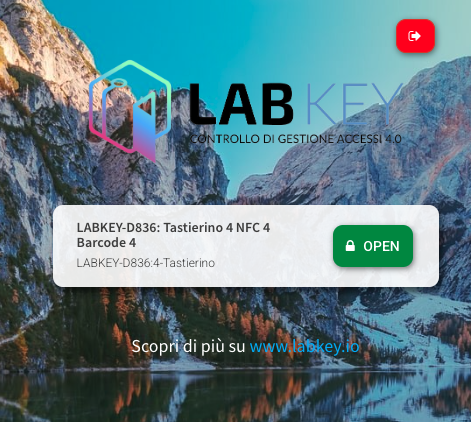
Otherwise, if the plugin setting points to the app and the app is not yet installed, the link will redirect to the app download. If the app is already installed, clicking the link will open the app and suggest adding the connected gates, which will be added upon confirmation.
For greater security, when you set Fast-URL to Web Link, see the dedicated section on Two-Factor authentication.